

Today's goal for myArc is to get the native shell looking like an empty Arc window and produce a nightly build I can run and share.
myArc is an open-source browser project, using Arc as the reference for its interface and browsing workflow. The implementation runs inside Chromium's browser layer, with Rust for the workspace behavior myArc owns.
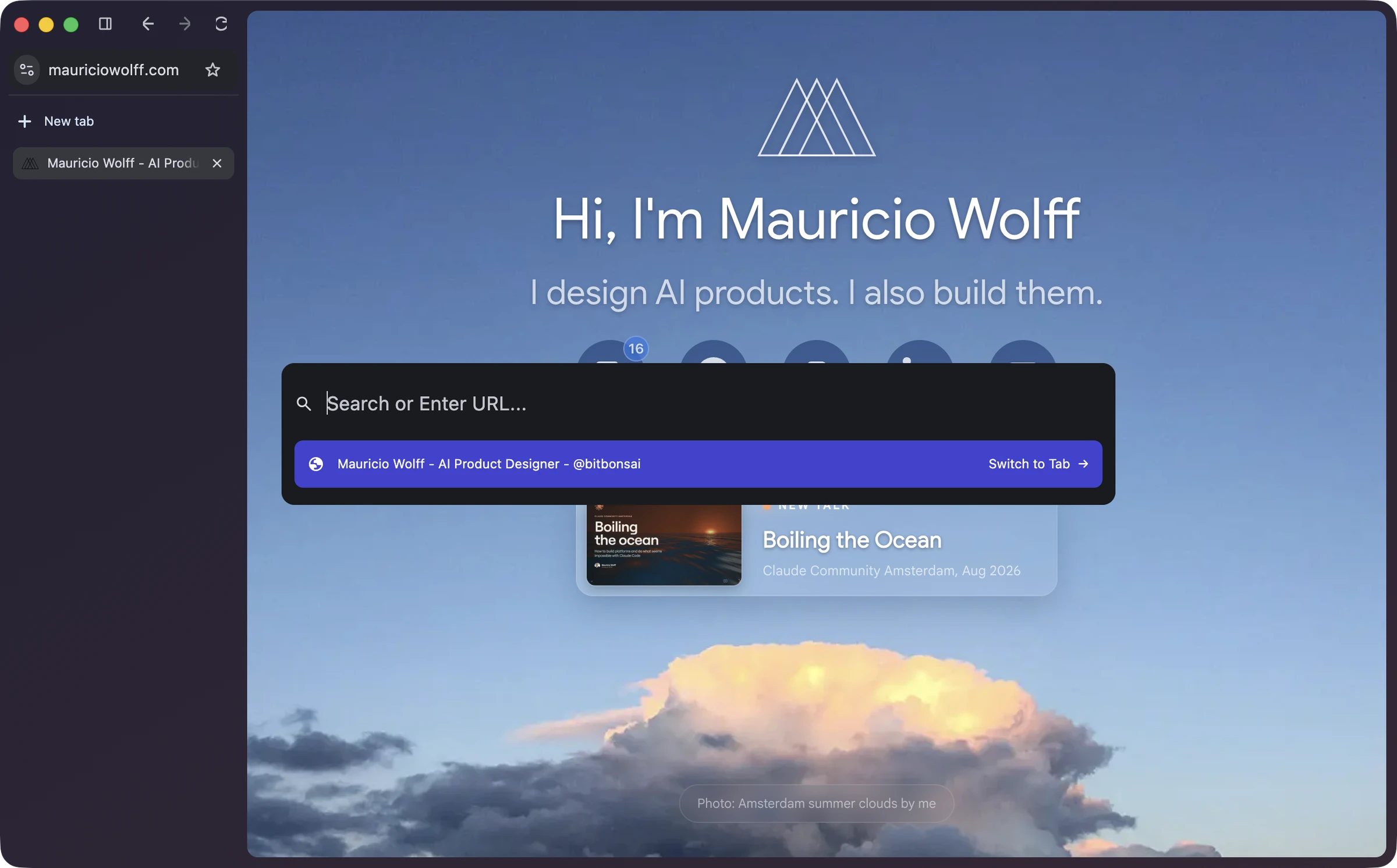
Current myArc build, captured from its native window. mauriciowolff.com is loaded behind the command palette.
Start with a shell we can judge
The empty window gives us a clear visual target. Sidebar proportions and the window material are easier to compare when a page isn't doing most of the visual work.
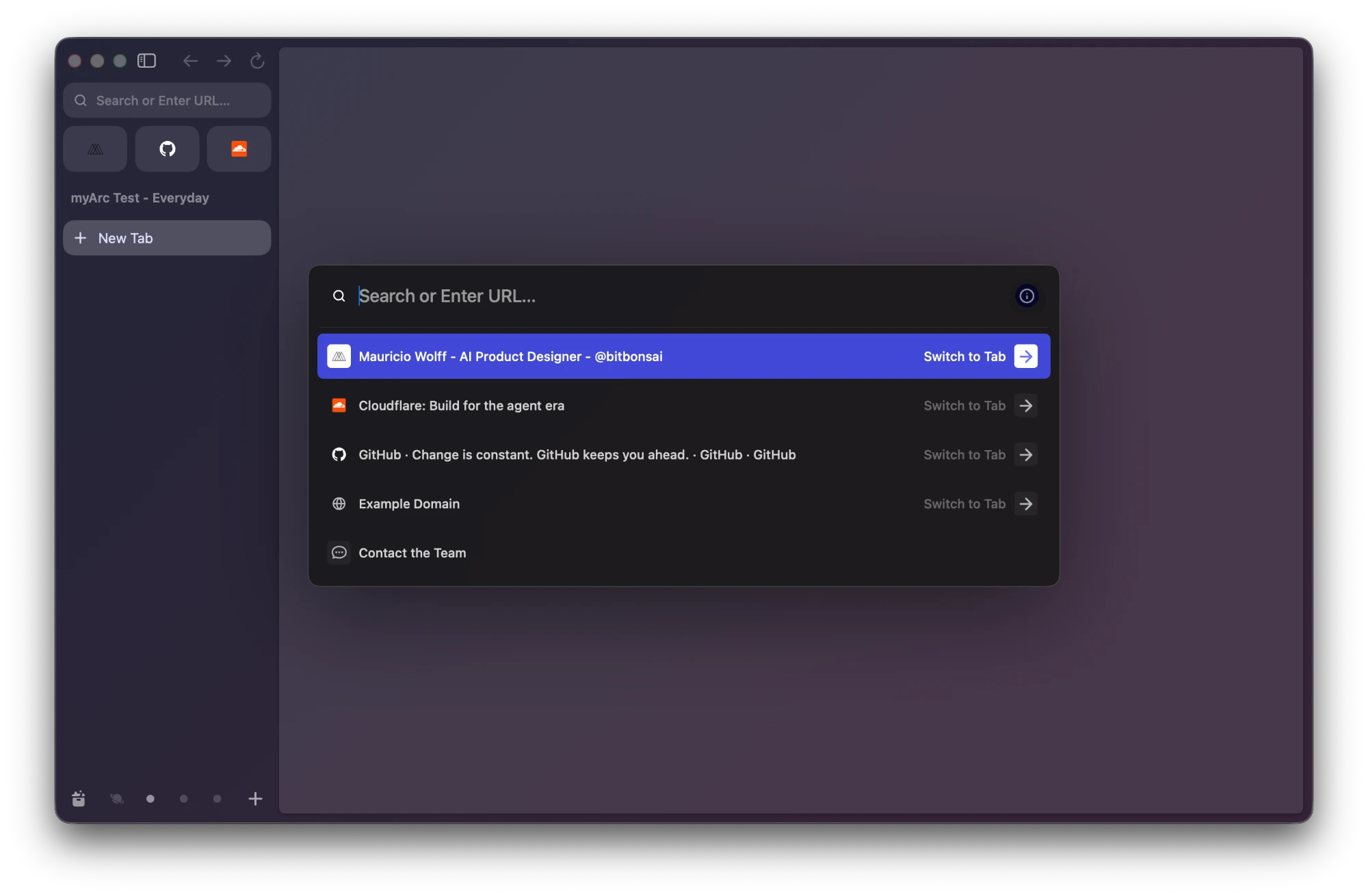
Arc reference. This is the appearance we're working toward.
The current build already opens real pages and shows a centered native command palette. The screenshot above shows that running together. Matching the empty Arc window is the next visual checkpoint; the nightly build should make the result available outside the development checkout.
How I'm delegating the work
I split work into tasks with a specific boundary and a result someone can check. Today that includes the Rust Spaces model, a Profile-owned workspace service, and the native sidebar that reads its state.
An implementation task gets the relevant files and constraints, along with the behavior it needs to demonstrate. A separate reviewer looks at the change before integration. Review findings go back through another implementation pass.
The lead agent keeps responsibility for integration and the running build. Parallel tasks help when the ownership boundaries are clear. Browser UI and Rust workspace changes still need to be exercised together.
Models and effort
For today's browser work, the lead coding agent is GPT-6.1, identified by gpt-6.1-sol, with high thinking. Independent code reviews use Claude Sonnet 5.5, claude-sonnet-5-5, at high effort.
The model and reasoning setting are part of the task brief. Implementation and review are separate jobs, and I want a reviewer to question the assumptions in the implementation.
A review response also has to turn into something concrete: a correction, a test, or an explicit decision about the tradeoff. The main agent then builds the integrated result and checks it in the native application.
Context between agents and sessions
I've open-sourced two skills that support this workflow: context and wrap, under bitbonsai.
Context keeps agent instructions and architecture notes aligned with the repository. It separates the product's intent from what currently works, so a new agent has a useful starting point.
Wrap handles the handover. It keeps the gotchas worth remembering and records the next concrete step. The next session can continue from that record instead of reconstructing the investigation. Machine-specific and private notes stay outside the public repository.
The browser code is open source too. I want the development record to explain the decisions behind the changes, especially when an approach fails.
What we're learning from the native work
Moving navigation controls into the sidebar exposed startup and layout failures. Using Chromium's native controls fixed that path. Repeatedly hiding and showing the address field also lost keyboard focus; preserving its visibility fixed the navigation journey.
Those failures are useful checks for the next change. A control can look right while breaking keyboard navigation elsewhere in the window.
Artcraft's public engineering practices, particularly PhotoCraft's development guide, helped shape the approach: give each task a bounded outcome and attach evidence to its completion. Native visual checks belong alongside the model and command tests.
Today's finish line
The target is an empty-window shell that matches the Arc reference, followed by a nightly artifact people can try. That gives the next update a concrete build to inspect and a clear account of what changed.