

 Mauricio Wolff
I started with a simple question. If I make a Work Space and a Personal Space in myArc, do they keep their logins apart? I assumed they did. They didn't, and Arc never worked that way either.
In Arc a Space is a way of sorting tabs, and a Profile is what keeps your cookies, logins, history and extensions apart. Several Spaces can share one Profile. That sounds odd until you notice you have a lot more topics than identities. Home, Reading and Travel all want the same Google account. Work wants a different one.
myArc had Spaces but only ever one Profile, so everything shared a single cookie jar. The latest nightly fixes that.
Creating a Space
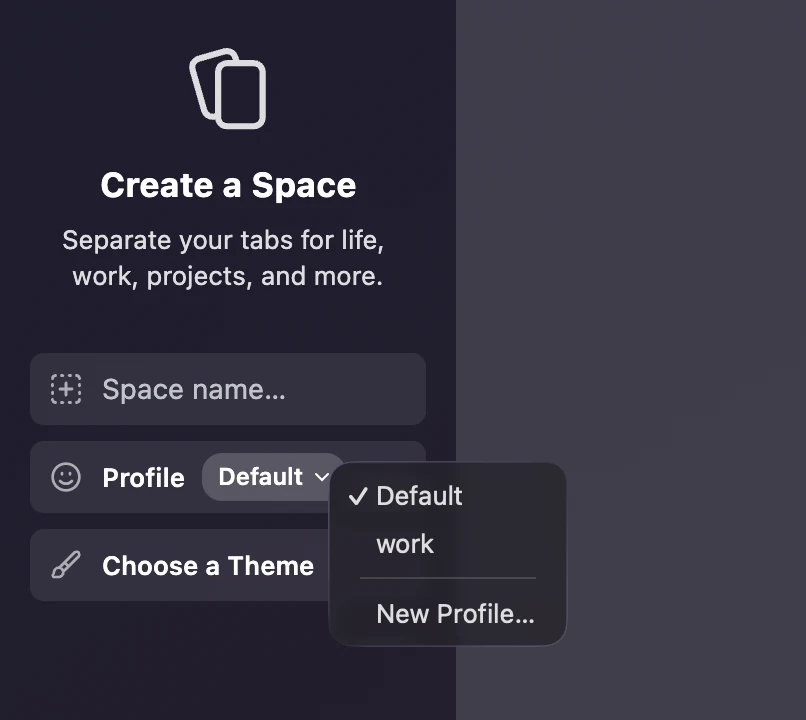
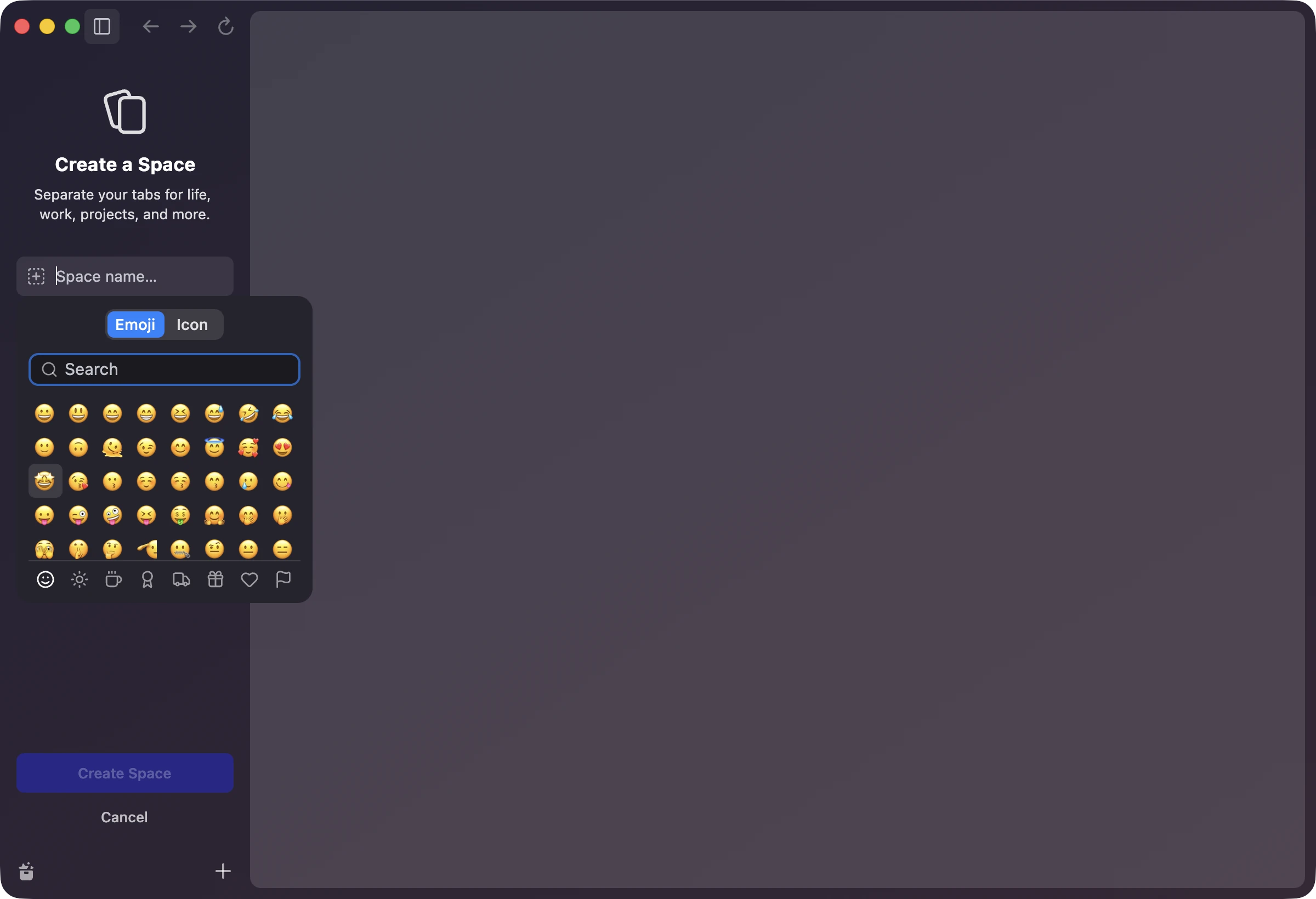
Creating a Space now happens in the sidebar, the way it does in Arc. You give it a name, pick an emoji or an icon, choose which Profile it belongs to, and give it a color.
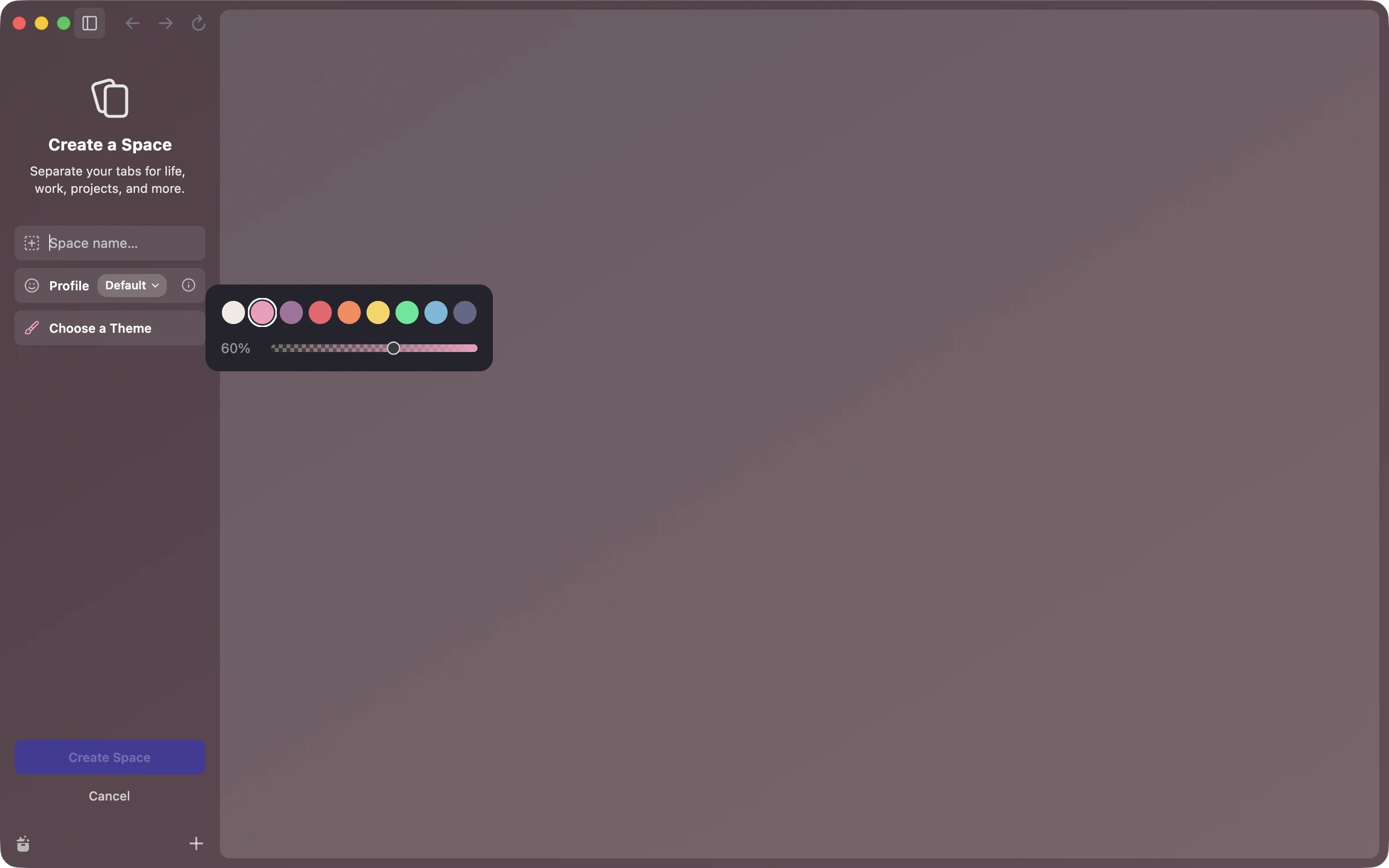
The theme picker is simpler than Arc's for now, nine colors and an opacity slider. Arc has a whole color wheel with gradients and grain, and that can come later.
The hard part
Arc showed every Space from every Profile in one window, and switching from a Work Space to a Personal Space just slid the sidebar over. Chromium doesn't allow that. Every window belongs to exactly one Profile, along with its tabs, address bar and extensions.
I had agents look at three ways around it.
Putting tabs from different Profiles into one window would have meant patching hundreds of files across Chromium's interface. Way too much for a pre-alpha.
The second idea looked like the winner. Keep one Chromium Profile and give each myArc Profile its own storage area, so cookies and site data stay apart while the window never changes. Then the research came back. History, saved passwords and extensions would still be shared, so a page you opened at work would show up in your personal command bar. Fixing that meant copying Chromium's password and history stores, which is exactly the kind of thing I don't want to maintain.
I also wondered about wrapping a bare web view in something like Tauri, the way Arc put its own interface on top of Chromium. On macOS Tauri uses Safari's engine though, and a real Chromium shell would mean rebuilding the whole browser around it.
What shipped
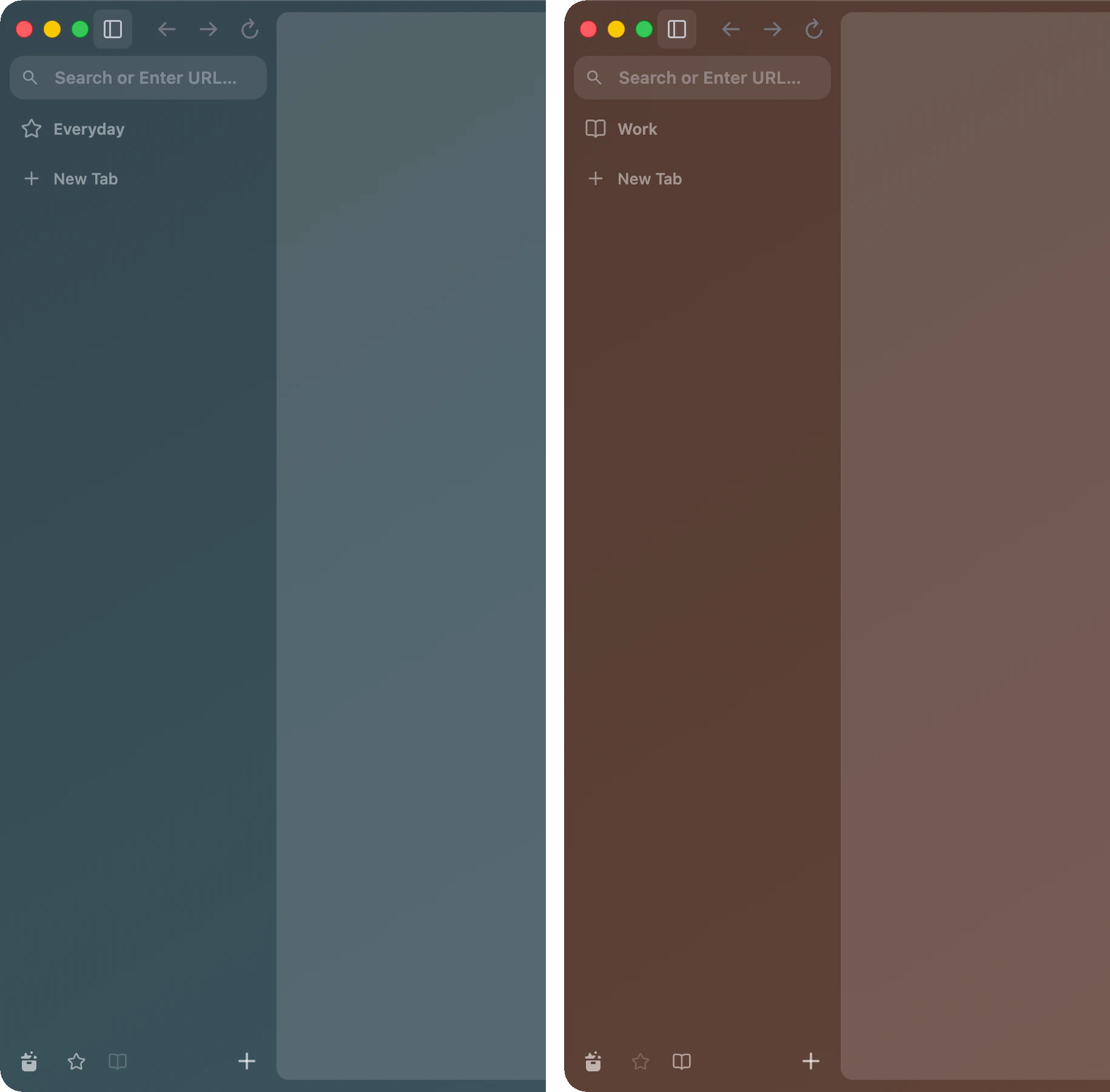
Each myArc Profile is a real Chromium Profile, so the isolation comes for free. When you click a Space from another Profile, myArc brings that Profile's window in at exactly the same position and size, and the usual Space slide covers the swap. The old window stays hidden behind it, ready for when you switch back.
To make that feel like one window, a lot of small things had to agree. The Dock icon brings back one window instead of a stack. Closing the window closes the hidden ones too, with their usual warnings. The Window menu only lists the one you can see, and relaunching brings back only the window that was showing.
Agents also wrote a test that sets cookies, local storage, a database and a service worker in one Profile, then checks that the other Profile sees none of it, both ways and after a relaunch. It also checks that history and extensions stay put.
What's still rough
During a swap there's a single frame where the sidebar loses its color. The first switch into a brand-new Profile doesn't slide at all. And a few paths haven't been tried by a person yet, so if something feels off when you switch Profiles, I'd like to hear about it.