HTML: https://myarc.dev/blog/boosts/
[All posts](https://myarc.dev/blog/)
# Boosts, minus the kitchen sink
November 25, 2026
[Mauricio Wolff](https://github.com/bitbonsai)3 min read
Getting Boosts into myArc took more work than I thought it would. Wiring live style overrides cleanly into Chromium's renderer, keeping a floating native editor anchored inside the page card without fighting window focus, and chasing down a shutdown crash along the way all took a few rounds.
The good news is we ended up with something simpler than Arc's version, and it works well.
## Starting a Boost shouldn't be a treasure hunt
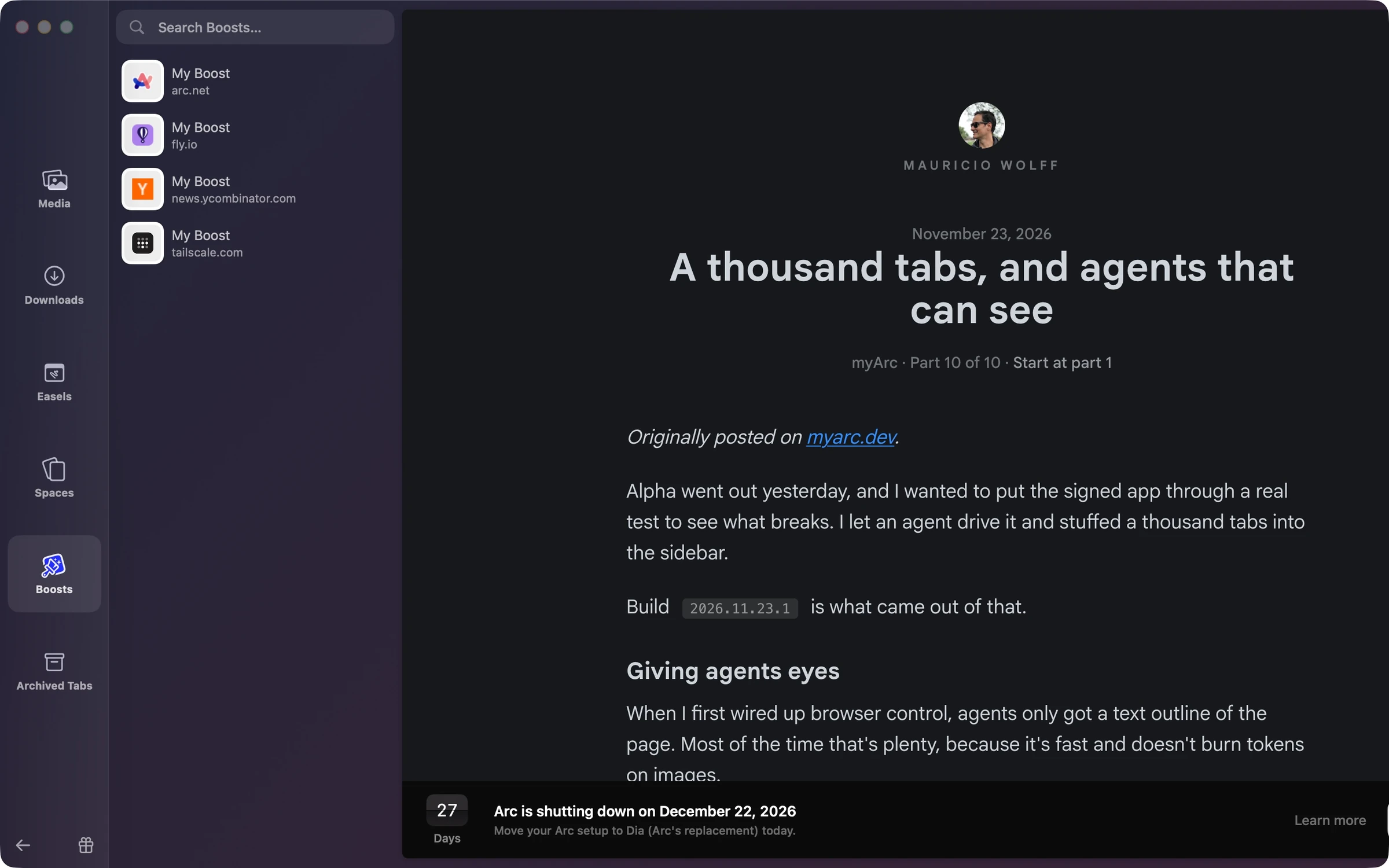
In Arc, opening Library → Boosts shows your existing Boosts, and no button to create a new one.
[](https://myarc.dev/blog/boosts/arc-library-boosts.165b6296aeac.webp)
Arc's Library Boosts panel has no way to create a Boost from inside it.
[](https://myarc.dev/blog/boosts/myarc-library-boosts.436eb68923ae.webp)
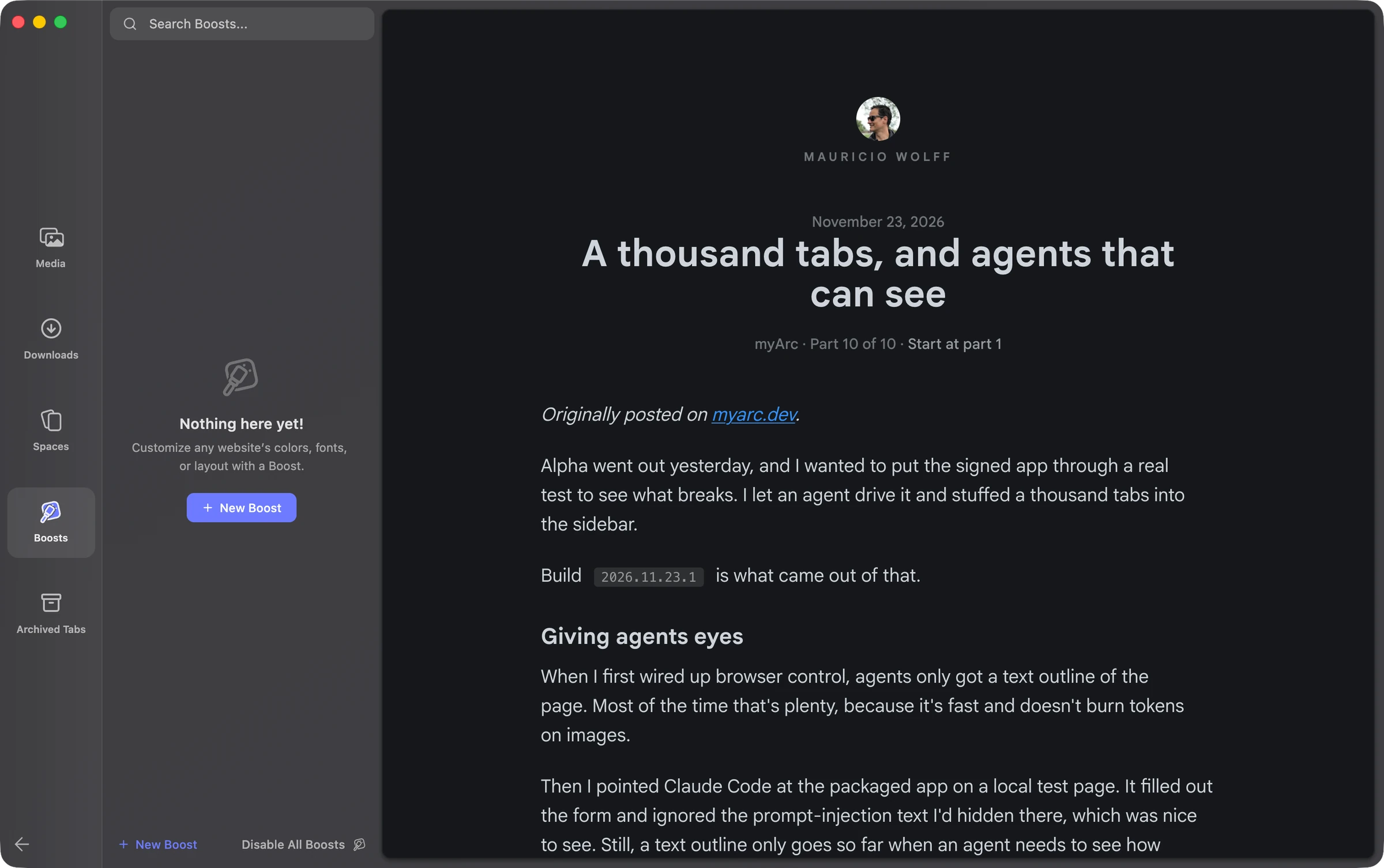
myArc puts New Boost and a Profile-wide Disable All Boosts toggle right in Library → Boosts.
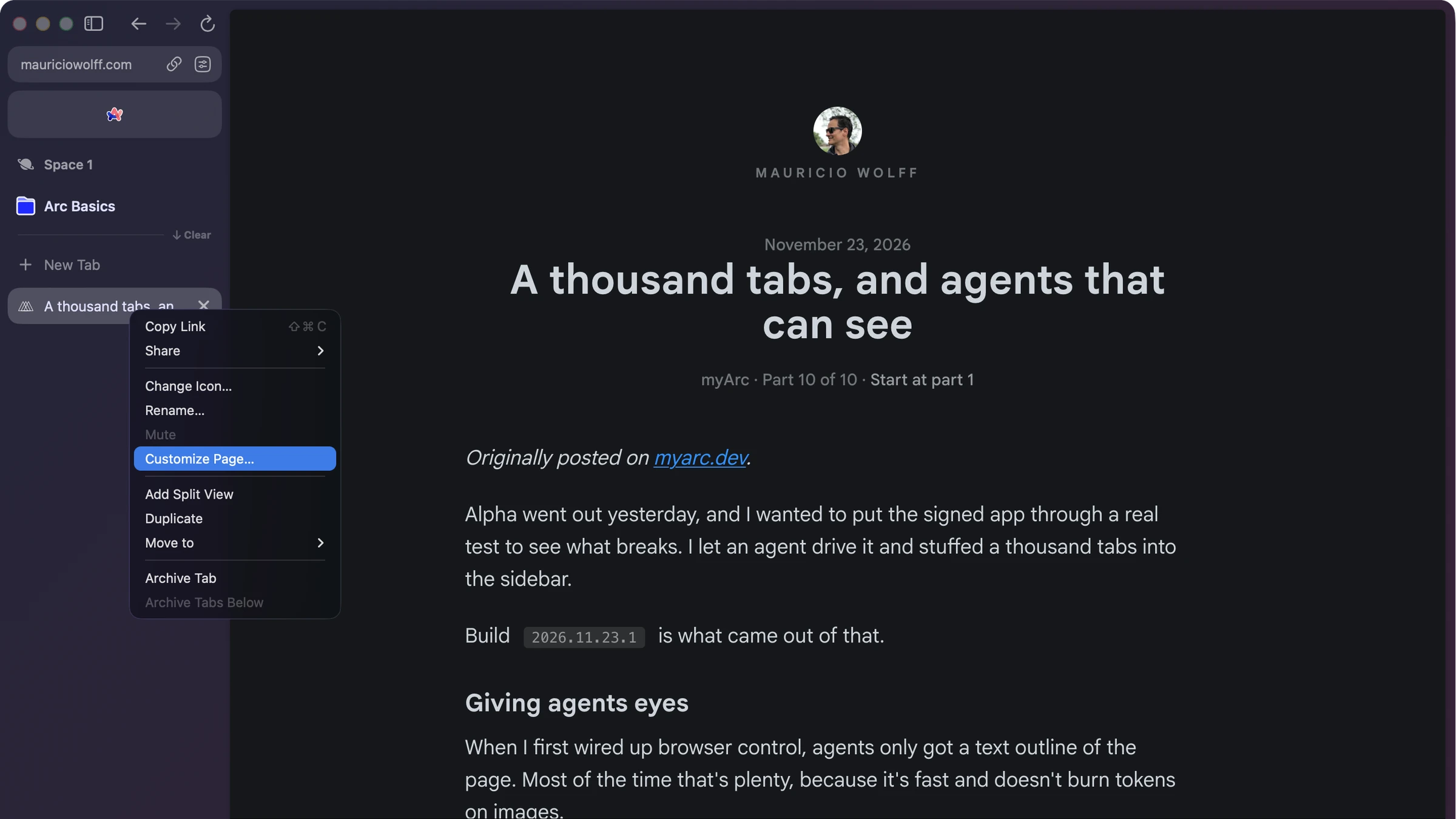
To actually make a Boost in Arc, you have to close the Library panel, right-click the tab in the sidebar, and pick **Customize Page...** from the context menu.
[](https://myarc.dev/blog/boosts/arc-customize-page.809c8da3f8fe.webp)
To make a Boost in Arc, you close the Library, right-click the tab, and pick Customize Page.
In myArc, you can start a Boost from **Library → Boosts**, **View → New Boost**, the URL bar, or the tab context menu.
## CSS only, on purpose
Under the hood, Arc lets a Boost inject arbitrary JavaScript like an unpacked Chrome extension. That's powerful, and also a lot of surface area for a feature most people use to fix an ugly font, tone down a bright background, or hide a noisy sidebar.
In myArc, Boosts are CSS only. You get a color and contrast pad (with Invert and Palette modes), a font grid with size and case controls, Zap for hiding elements on the page, and a Code tab for raw CSS. As you drag the color pad, text colors adjust automatically to stay readable. Everything passes through a Rust sanitizer before it touches the page, and there is a Profile-wide kill switch in **Library → Boosts** if you ever want to turn all of them off at once.
[](https://myarc.dev/blog/boosts/arc-boosted-post.ad528afd7a2b.webp)
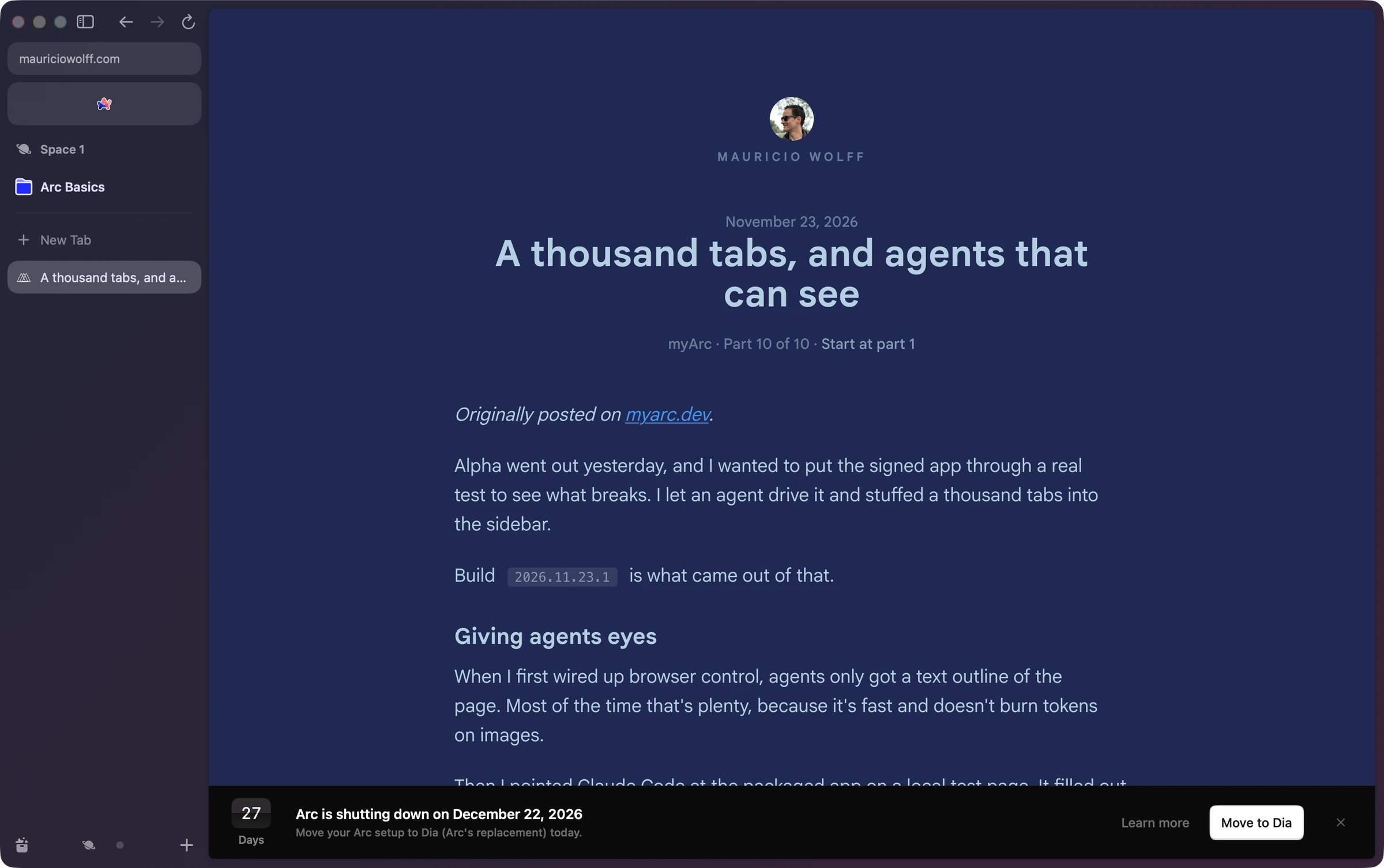
A post on mauriciowolff.com restyled with a blue tint Boost in Arc.
[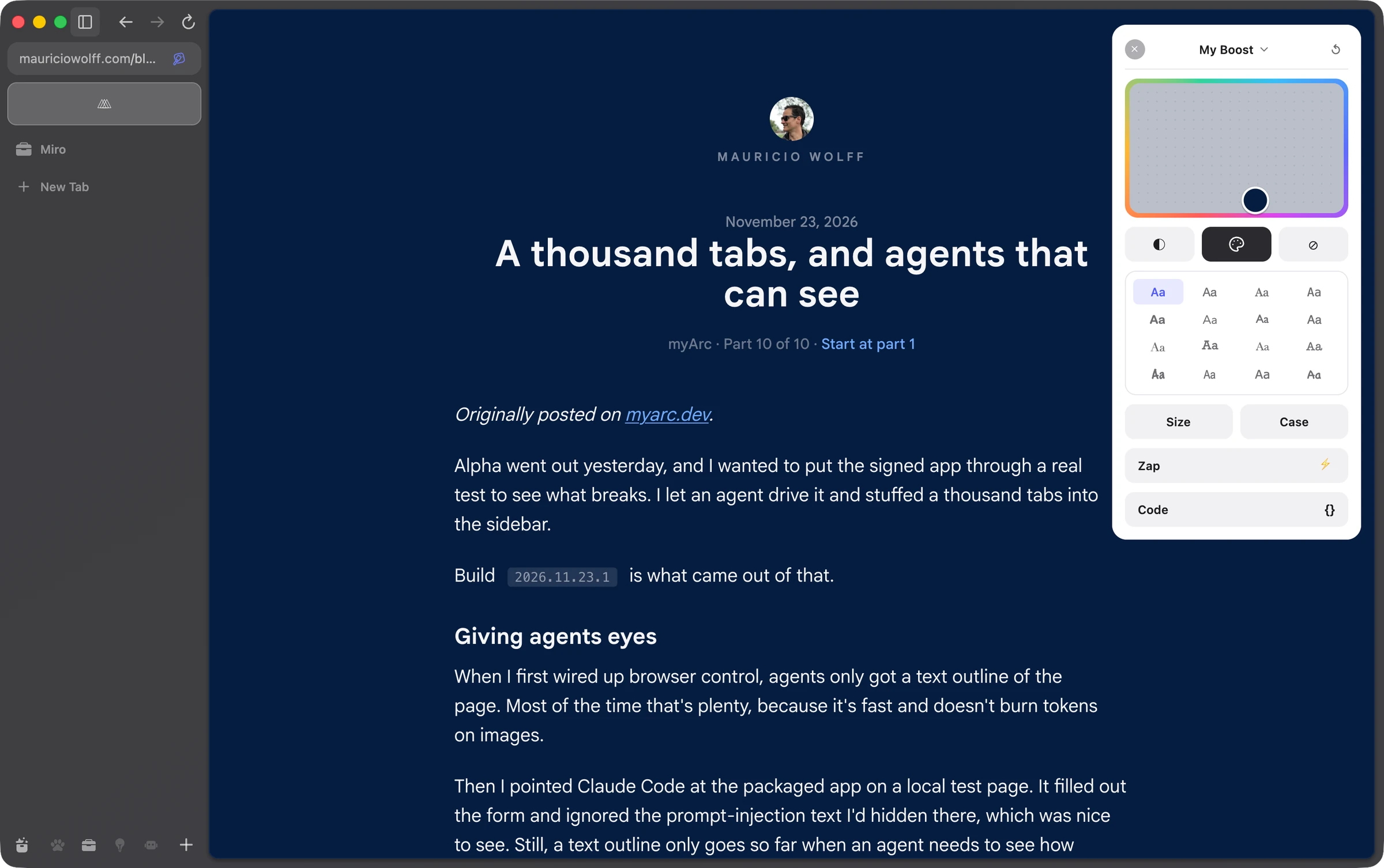](https://myarc.dev/blog/boosts/myarc-boost-editor.4036d9ca2fec.webp)
The same post in myArc with the floating Boost editor open; text colors update automatically as you pick a background tint.
I tested it on my own [myArc posts at mauriciowolff.com/blog](https://mauriciowolff.com/blog). Changing the background tint, swapping the font, and zapping a section updates the page live as you drag, and sticks the next time you open the site.
## No Easels, yes to importing Arc Boosts
People keep asking about Easels too. We're not doing Easels. myArc is a browser, and there are plenty of better canvas and whiteboard tools already.
Importing your existing Boosts from Arc, though, is on the list. Arc stores them on macOS as unpacked extensions under `~/Library/Application Support/Arc/boosts/`, with a `manifest.json` naming the matched sites and a `styles.css` file for the styles. That gives us a clear path to pull your CSS Boosts straight into myArc (leaving any JavaScript out) so you don't have to rebuild them by hand.
## What's next
Build `2026.11.25.2` is out now with Boosts, the macOS menu bar parity pass, Library Media, and Archived Tabs filtering. Open **View → New Boost** on any site to try it, or run **myArc → Check for Updates…** to grab the build.
Next up, I'm wiring the Library button's hover fan-up stack to read `~/Downloads` directly on disk with QuickLook previews, the way Arc does, so recent screenshots and saved files show up even when they didn't come from a browser download.