HTML: https://myarc.dev/blog/agents-use-myarc/
[All posts](https://myarc.dev/blog/)
# Letting agents use myArc
November 10, 2026
[Mauricio Wolff](https://github.com/bitbonsai)5 min read
myArc is built by agents. I lead a group of them that write and review the code, and this round they built something for agents that aren't on the team. An AI agent like Claude Code can now open pages in myArc, read them and click through them.
## How an agent reads a page
The agent drives myArc through `myarcctl`, a small command-line tool. The same program also runs as an MCP server, the common way AI apps plug in outside tools, so assistants that support MCP get the same commands.
The usual way to let an AI use a computer is screenshots. The model gets a picture of the screen, guesses where the button is and clicks at those coordinates. That works, but each step means sending a whole image, and the click lands wherever the guess lands.
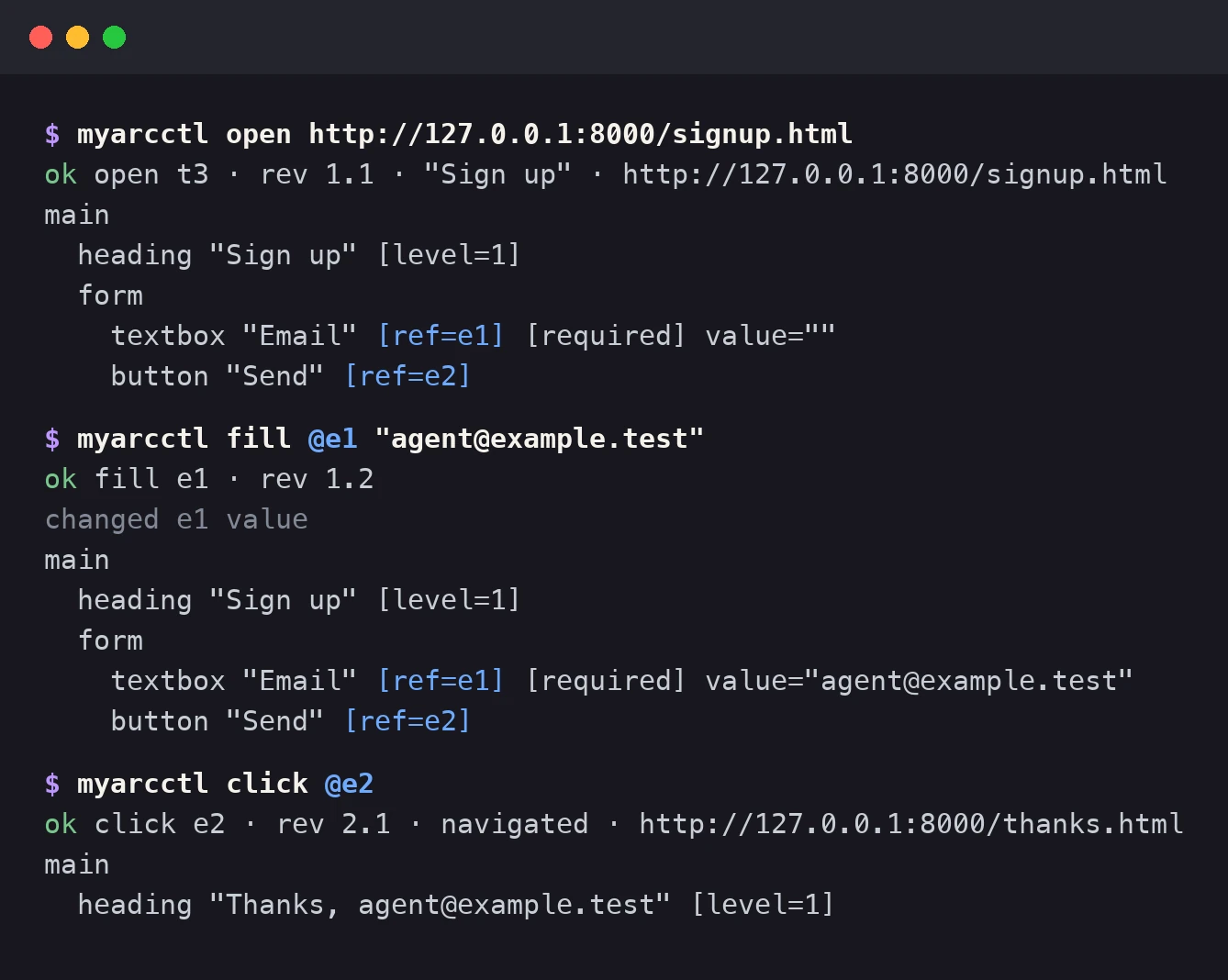
myArc gives the agent a short text outline of the page instead, one heading, link, field or button per line. Anything it can act on gets a number. To sign up on a form, it fills `e1` with an email address and clicks `e2`, and myArc acts on those exact elements. Every action answers with a fresh outline, so it sees what happened without asking for another look.
[](https://myarc.dev/blog/agents-use-myarc/agent-session.4f9cdde935fc.webp)
A sample session on a test page, drawn in the tool's real output format.
A few lines of text weigh far less than a screenshot, and pointing at an element beats pointing at a pixel. Each number stays tied to one element. If that element is gone, or the agent is working from an old outline, myArc refuses and the agent reads the page again, so it never clicks a stand-in. Page text can't fake a number either. Whatever a page says comes back in quotes, so a sneaky line of text can't pass itself off as a button.
The agent works only in its own Agent Space, which shows up as a bot icon in the sidebar footer. Pages it opens load in the background while you keep browsing, and your other Spaces and Profiles stay out of its reach. To watch it work, click the bot. For Claude Code there's also a skill that teaches it the commands and tells it to check with you before it sends, buys or posts anything.
## Staying in control
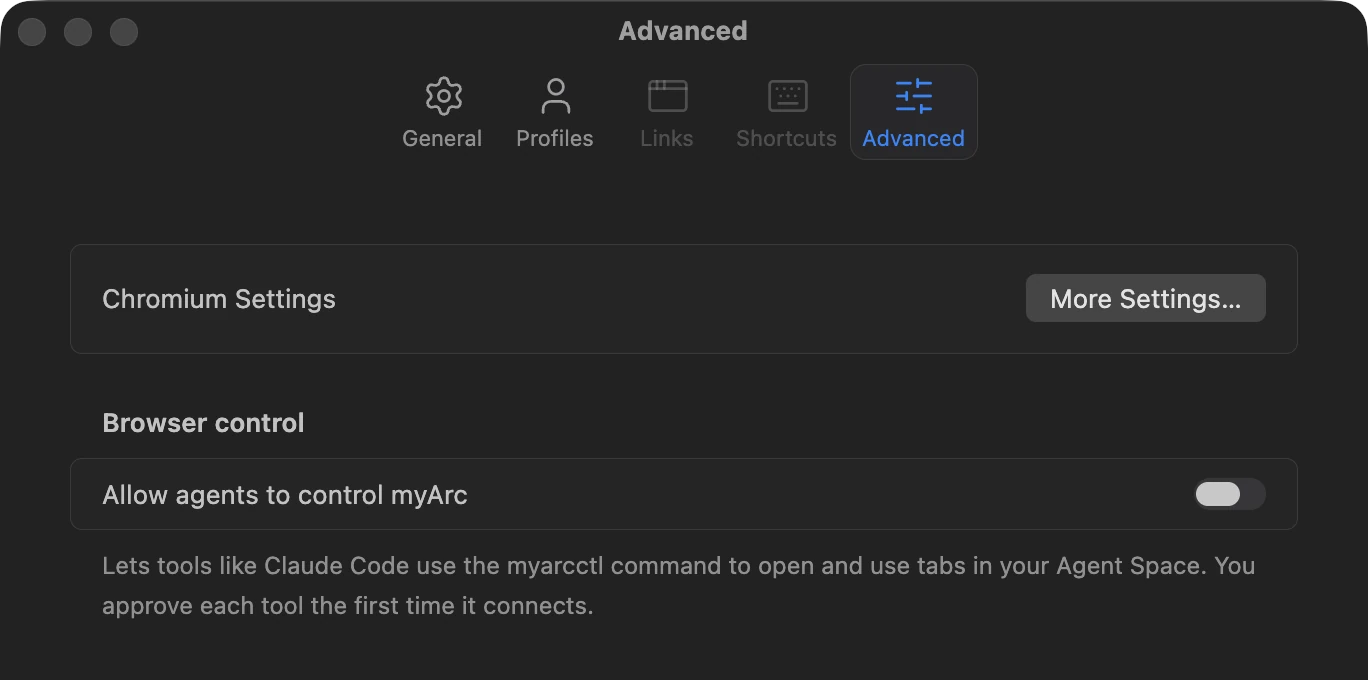
All of this stays off until you turn it on in Settings.
[](https://myarc.dev/blog/agents-use-myarc/browser-control-setting.d013fb5f9fcd.webp)
While the switch is off, nothing can connect.
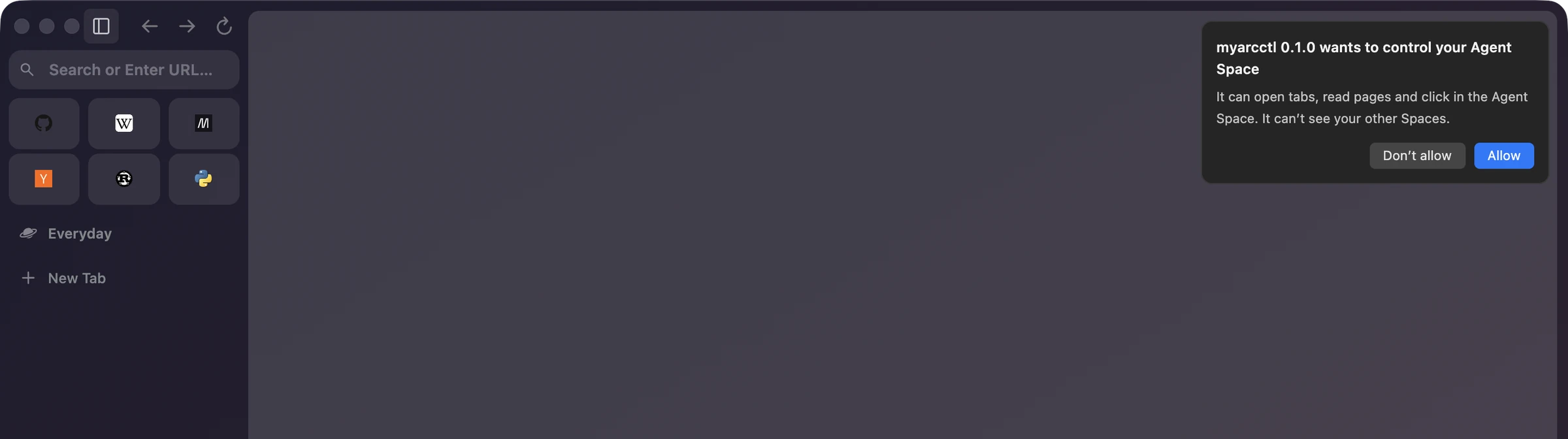
The first time a tool connects, a card in your myArc window names it and asks whether it may control your Agent Space, with Allow and Don't allow. Allow holds until you quit myArc.
[](https://myarc.dev/blog/agents-use-myarc/connect-prompt.d469733f9bcf.webp)
The card says what the tool can do and that it can't see your other Spaces.
I want to be honest about what that card proves. Each tool names itself when it connects, so another program running on your account could claim to be `myarcctl`. The card records your consent and shows who says they're acting, but it doesn't check anyone's ID.
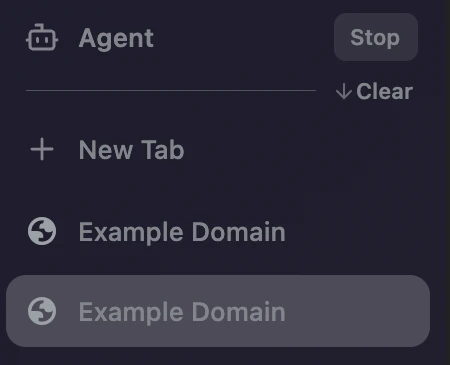
While an agent is working, a small blue dot sits on the bot icon and a Stop button appears next to the Agent Space's name. Stop cuts the agent off right away, and the next time it tries to connect, myArc asks you again.
[](https://myarc.dev/blog/agents-use-myarc/agent-space-stop.f7ac8431e496.webp)
The Agent Space while a tool is working.
[](https://myarc.dev/blog/agents-use-myarc/agent-space-dot.71a71d36f0b8.webp)
The blue dot on the bot means an agent is at work.
## A crash that wasn't ours
While the agents were testing all this on themselves, a click in a background agent tab would now and then kill the page. It seemed to need the agent to sit idle for a bit before clicking, and for a while it looked like no crash report was being written at all. Then it turned out Chromium had been saving them the whole time, all pointing at the same place in the code.
The bug was in Chromium itself. Before a click, the browser asks where the element sits so it can scroll it into view, and that lookup read the page's layout without bringing it up to date. A tab you're looking at refreshes layout every frame, so nobody notices. A background tab draws no frames, so its layout goes stale, and one of Chromium's own safety checks caught the stale read and stopped the page. The fix is a single line that updates the layout before reading it, which the function right next to it already did. After that, the same test clicked through every round without a crash.
## Reading an Arc export
Arc can export your Spaces as a file, under Settings \> Advanced \> Export Data. myArc now has a reader that turns that file into a list of Spaces, the groups inside each one and their links, in Arc's order. It doesn't open any of the links while reading. A line it doesn't understand gets flagged with its line number and a reason instead of quietly disappearing, since an import that loses tabs on the way in isn't much of an import.
It doesn't create anything in the browser yet, and there's no button for it.
## Pins with real icons
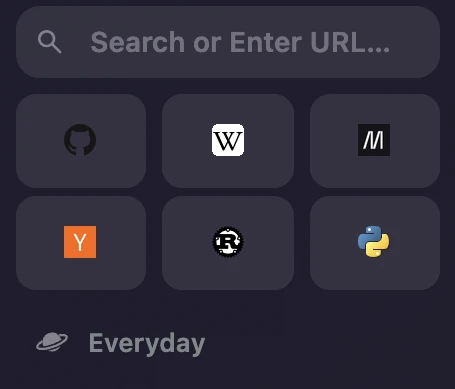
Until now a pin only showed its site's icon once you had opened that page in myArc. Everything else got a gray globe, and after an import that would have meant a sidebar full of globes. Now a pin without an icon asks its own site for one in the background and keeps it. The request carries no cookies and asks for the site's home page, not the page you pinned. It goes straight to that site, with no Google or other icon service in between.
[](https://myarc.dev/blog/agents-use-myarc/pin-icons.d8174aba615e.webp)
None of these sites was ever opened in this profile.
## Where it's going
Agent control and pin icons are both in today's nightly, with `myarcctl` tucked inside the app.
Along the way the sidebar footer got a redesign. Your Spaces sit there as icons, and those from your other Profiles share a soft pill, so you can tell at a glance which Profile they belong to. The bot moved in right next to them.
Next up is turning an Arc import into real Spaces and pins, and more work on making myArc look like Arc. The import is the part I'm waiting for most. I've used Arc since 2023, and I'd rather not rebuild those Spaces by hand.